Creating an audience
An audience is the group of twins interviewed in a Rehearsal. A Rehearsal can have several, such as two groups you want to compare. The easiest way to build one is in the chat when you start a new Rehearsal. Describe who you want in plain English, such as “dog owners in California”. The agent proposes an audience in a card. Press Create, and Rehearsals searches its tens of thousands of twins until it has found the number you asked for or run out of twins who fit.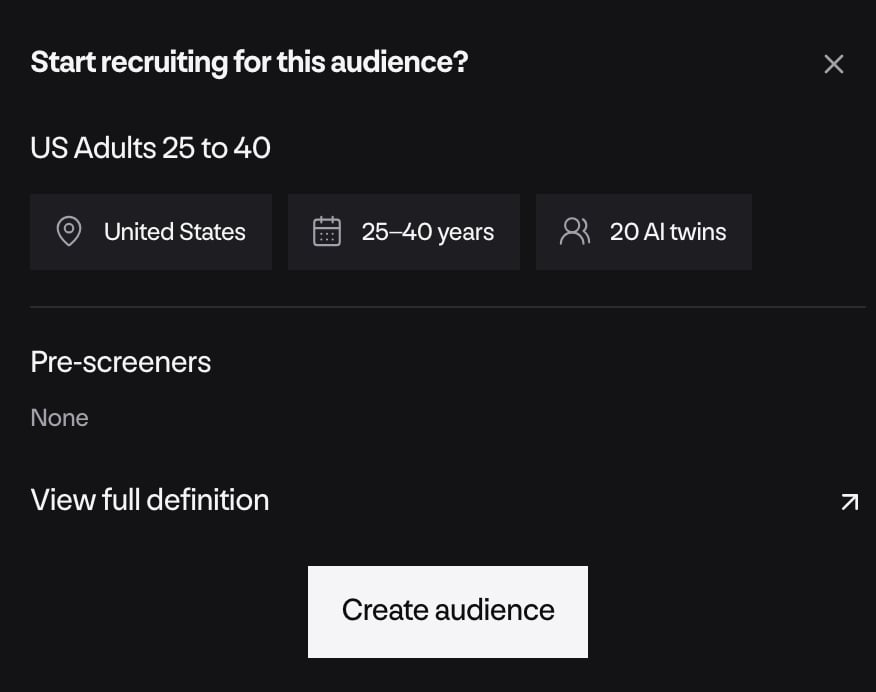
Who you can target
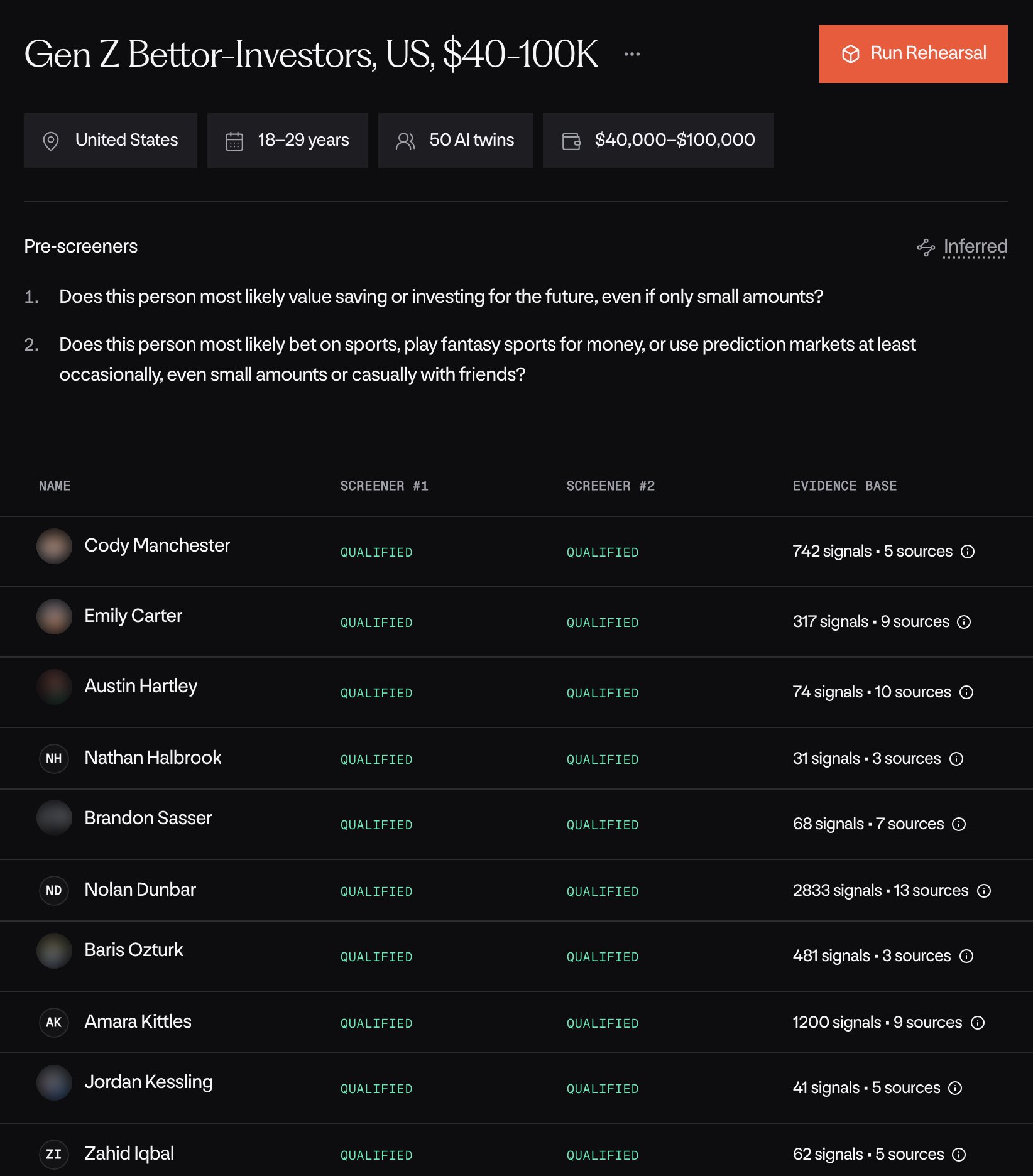
You can filter on country, state, city, age, sex, household income, education and race or ethnicity. Include whatever matters in your description, like “women 25 to 40 in Texas with household income over $100K”. Income is in each country’s own currency. Twins are available in the United States, Canada, the United Kingdom, France, Italy, Germany, Switzerland, India, Japan, Singapore, Taiwan, Mexico and Colombia. An audience can have up to 500 twins. To match a general population, ask the agent to balance the audience. The balancing option splits it evenly by gender and matches US census figures on race and ethnicity. Every audience’s page shows the filters it was built with, so you can always check who it targets.Screening questions
Demographics only go so far. When you need something more specific, such as people who own a dog, ask the agent to add screening questions, up to three per audience. Rehearsals checks every twin against your screening questions automatically. Each twin is marked Qualified or Rejected, and clicking the mark shows the confidence, the reasoning and a quote from that person’s interviews as evidence. The audience fills in live as twins are screened. Screening questions work best when they allow some room, like “most likely spends around $500 a year on travel” instead of “spent $500 on travel last year”. Twins read criteria literally, and a question that demands proof of one specific purchase is the most common reason an audience comes up empty. By default a twin qualifies when its data supports the answer. If you need strict screening, where every twin must have direct, quotable evidence, ask the agent for it.When an audience comes up short
Narrow audiences take longer to build and sometimes can’t be filled. If that happens, Rehearsals offers to try again, broaden the audience, or book a call with our team to recruit real people who fit, at no cost. Let a build finish once it has started. Starting a second audience to speed things up begins the search again from scratch.The twin table
Open an audience to see every twin in it. Each row shows the twin’s name, age, gender, location and education. Twins that went through screening have a green check or a red x next to their name. Each row also has an Evidence Base, such as “128 signals • 4 sources”. Signals are demographic fields and data points observed across interviews and profiles. Sources count the social profiles and interviews they came from. Hover over a row for a quick profile card, and press Open Profile to see everything about that twin.