> ## Documentation Index
> Fetch the complete documentation index at: https://runrehearsals.com/docs/llms.txt
> Use this file to discover all available pages before exploring further.
# The Rehearsals Workspace
> Get oriented in the Rehearsals dashboard: folders, project cards, saved cohorts, and how to get around.
## Folders
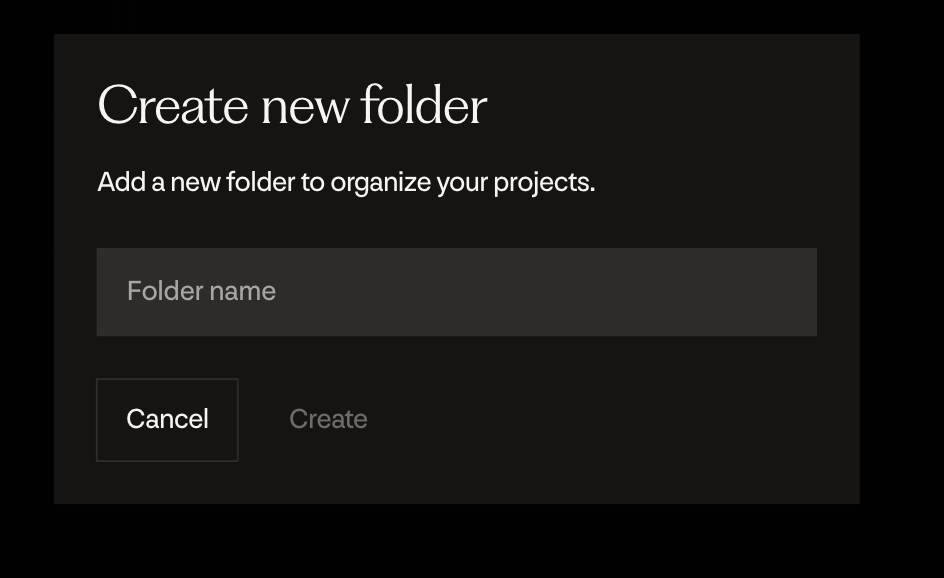
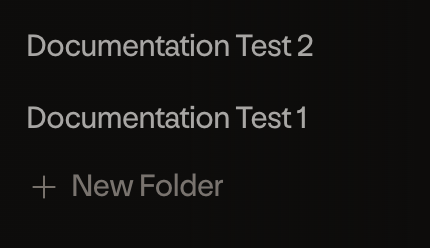 Folders are used to organize groups of Rehearsals, to prevent clutter on the dashboard. To create a folder, press the New Folder button, and name the folder.
 To move a Rehearsal into another folder, drag and drop the Rehearsal over the name of the folder.
To rename a folder, press the three dots to the right of the folder's name, then press rename.
To move a Rehearsal into another folder, drag and drop the Rehearsal over the name of the folder.
To rename a folder, press the three dots to the right of the folder's name, then press rename.
 ## Project cards
A Rehearsal can be in one of three states:
## Project cards
A Rehearsal can be in one of three states:


 **Draft** - The Rehearsal plan has not been completed yet, and the simulations have not begun running. Human intervention is still required at this step. The indicator will be 'Draft'.
**Running** - The Rehearsal is in flight, you can click into it to view the progress of the simulation. The indicator will be 'Running'.
**Completed** - The Rehearsal has completed, and you can now view the published report. Until you open the report, it will have an 'Unread' indicator on it.
## Saved Cohorts
The saved cohorts tab is where your cohorts will appear. You can favorite them by clicking the corresponding star next to the cohort. If the star is already filled in then it's favorited, so clicking it again will unfavorite that cohort.
**Draft** - The Rehearsal plan has not been completed yet, and the simulations have not begun running. Human intervention is still required at this step. The indicator will be 'Draft'.
**Running** - The Rehearsal is in flight, you can click into it to view the progress of the simulation. The indicator will be 'Running'.
**Completed** - The Rehearsal has completed, and you can now view the published report. Until you open the report, it will have an 'Unread' indicator on it.
## Saved Cohorts
The saved cohorts tab is where your cohorts will appear. You can favorite them by clicking the corresponding star next to the cohort. If the star is already filled in then it's favorited, so clicking it again will unfavorite that cohort.
 Favorited
  Unfavorited
## Getting around
| Destination | What it's for |
| ---------------------------------------- | ----------------------------------------------------------------- |
| [New Rehearsal](/docs/platform/new-rehearsal) | Start a new Rehearsal by describing your goal in the intake chat. |
| [Cohorts](/docs/platform/building-cohorts) | Build and save the audiences your Rehearsals run against. |
| [Content](/docs/platform/content-and-data) | Upload images, videos, and documents to test as stimuli. |
| Settings | Manage team members, report branding, integrations, and usage. |
Unfavorited
## Getting around
| Destination | What it's for |
| ---------------------------------------- | ----------------------------------------------------------------- |
| [New Rehearsal](/docs/platform/new-rehearsal) | Start a new Rehearsal by describing your goal in the intake chat. |
| [Cohorts](/docs/platform/building-cohorts) | Build and save the audiences your Rehearsals run against. |
| [Content](/docs/platform/content-and-data) | Upload images, videos, and documents to test as stimuli. |
| Settings | Manage team members, report branding, integrations, and usage. |